

This workflow outlines the process for submitting, verifying, and collecting sponsorship verification documents. Students are advised to follow each step carefully to ensure a smooth and timely verification process.
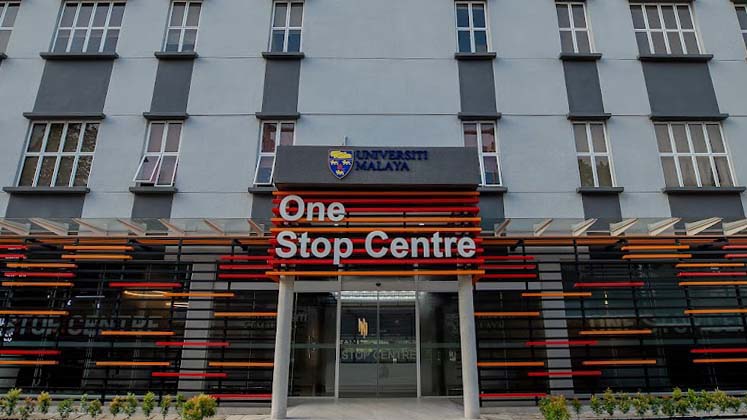
Submit your documents at One Stop Centre (OSC).
Submit your documents via email.
This guide is prepared for students who need to update their sponsorship information and generate the Student Sponsorship Confirmation Letter through the MAYA Portal.
Visit https://maya.um.edu.my/ .
Username: [SiswaMailID]@siswa.um.edu.my
Password: [SiswaMail Password]
From the home page, navigate to My Dashboard > My Profile .
Click the View My Profile option.
Navigate to Student Profile > Sponsorship Details .
Click Yes or No and fill in the required details.
Under the Sponsorship Details tab, generate the Sponsorship Verification Letter if needed.
Click Generate Sponsorship Verification Letter.
This guide provides a quick reference for checking the Programme & Institution Codes, Application Period and PTPTN Loan Payment Information through myPTPTN.
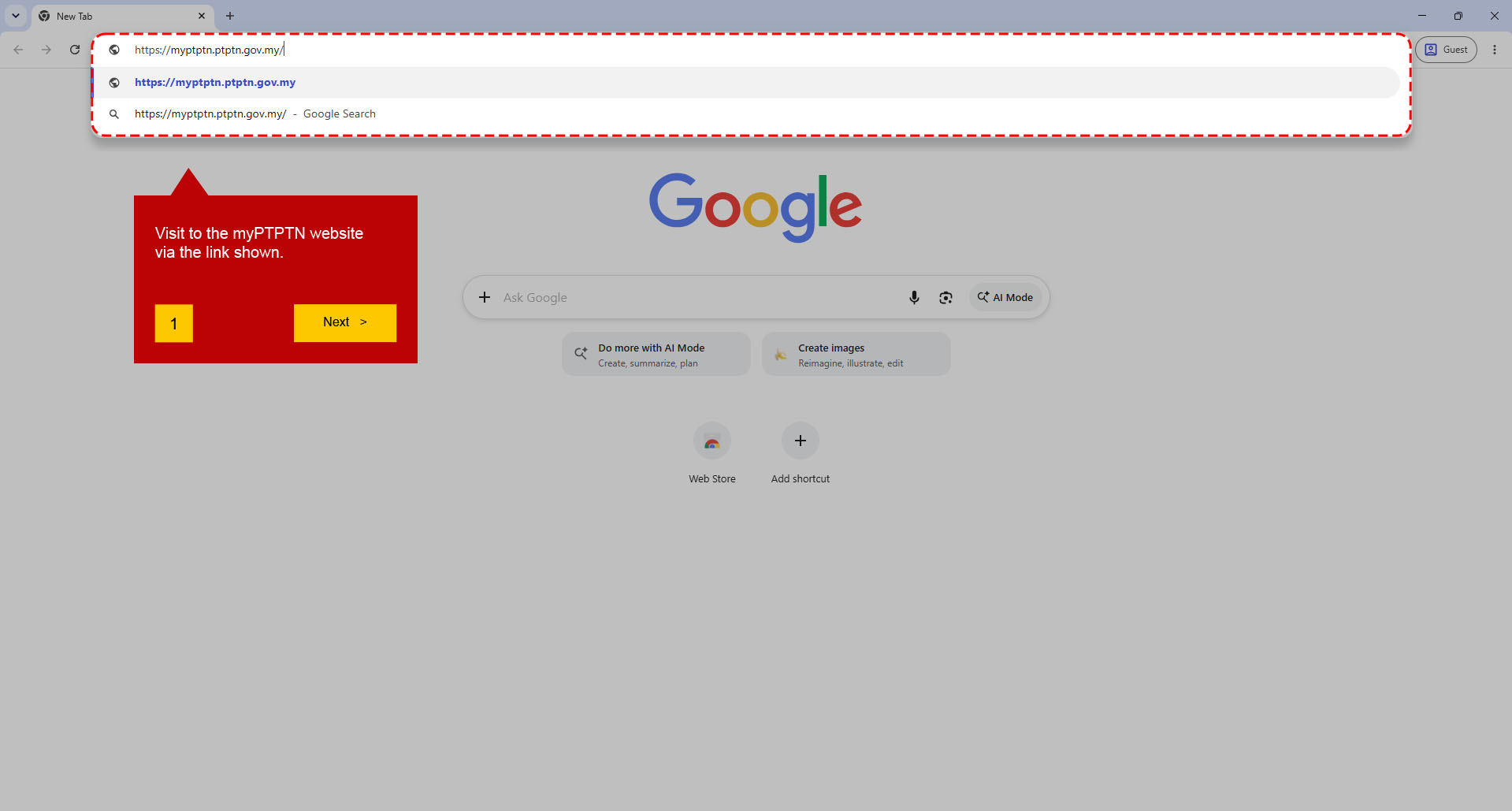
Visit the myPTPTN website via the following https://myptptn.ptptn.gov.my .
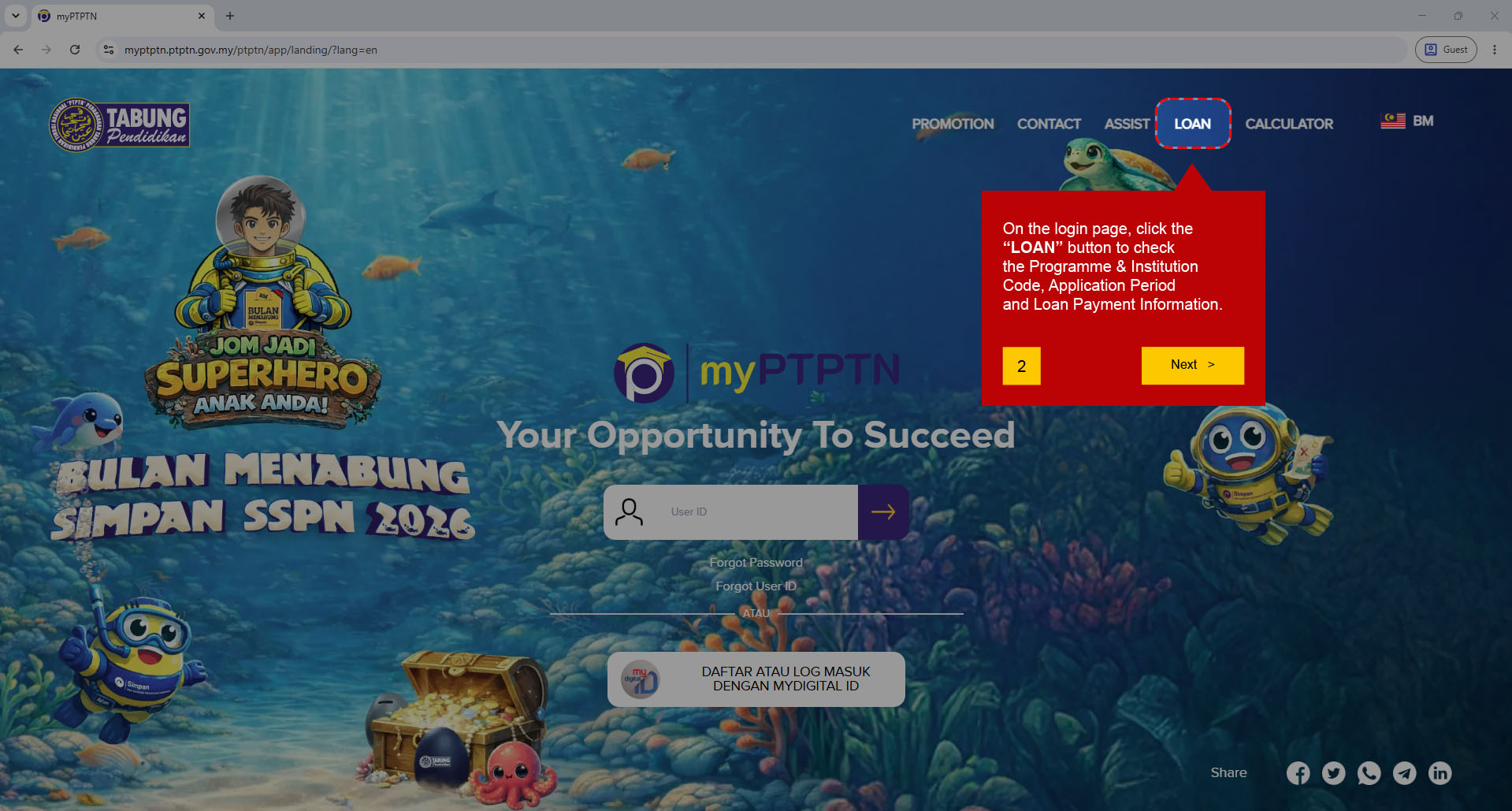
On the login page, click the “LOAN” button to check the Programme & Institution Code, Application Period and Loan Payment Information .
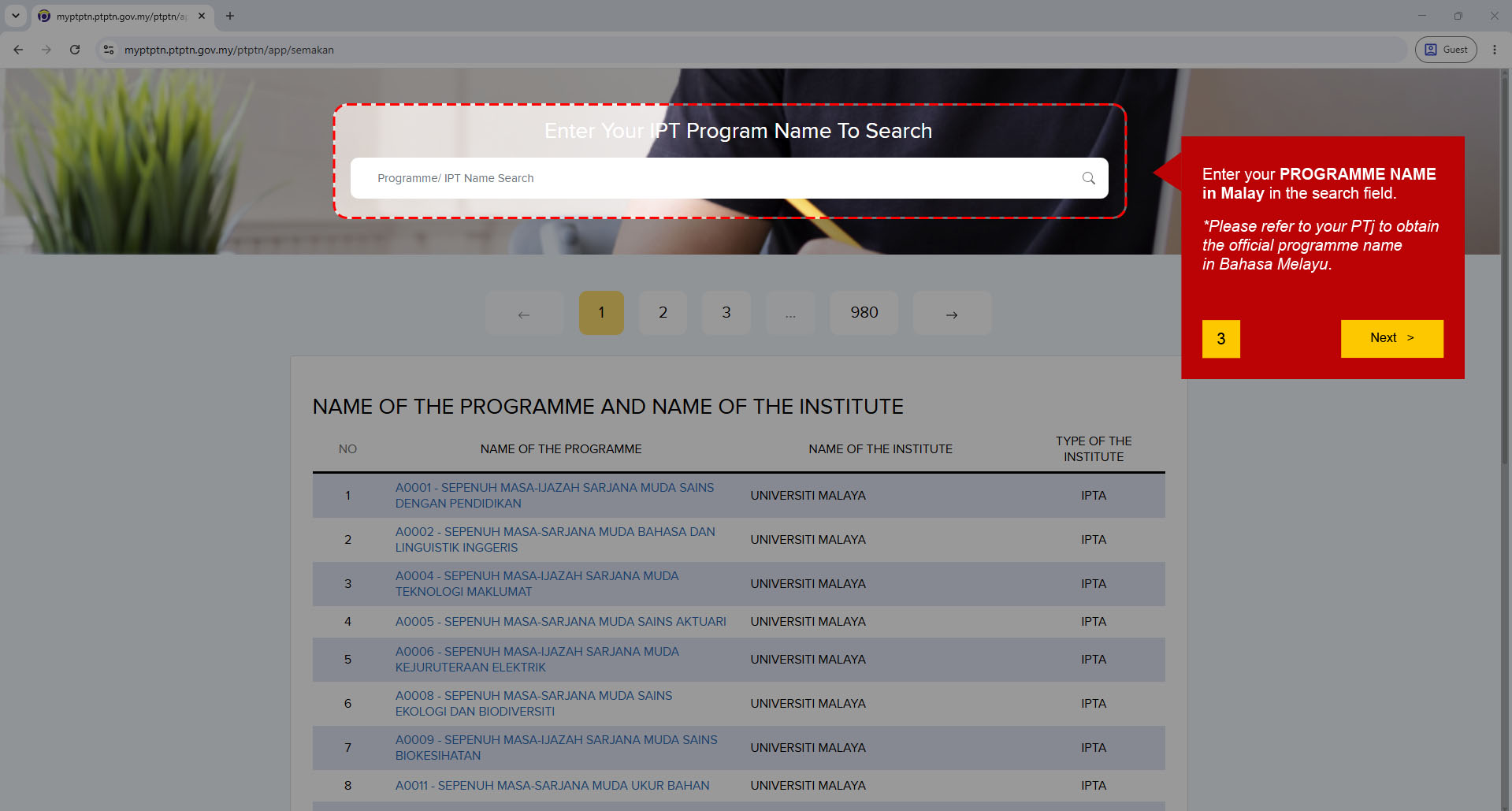
On the search page, enter the PROGRAMME NAME in Bahasa Melayu in the search field.
Please refer to your faculty to obtain the official programme name in Bahasa Melayu.
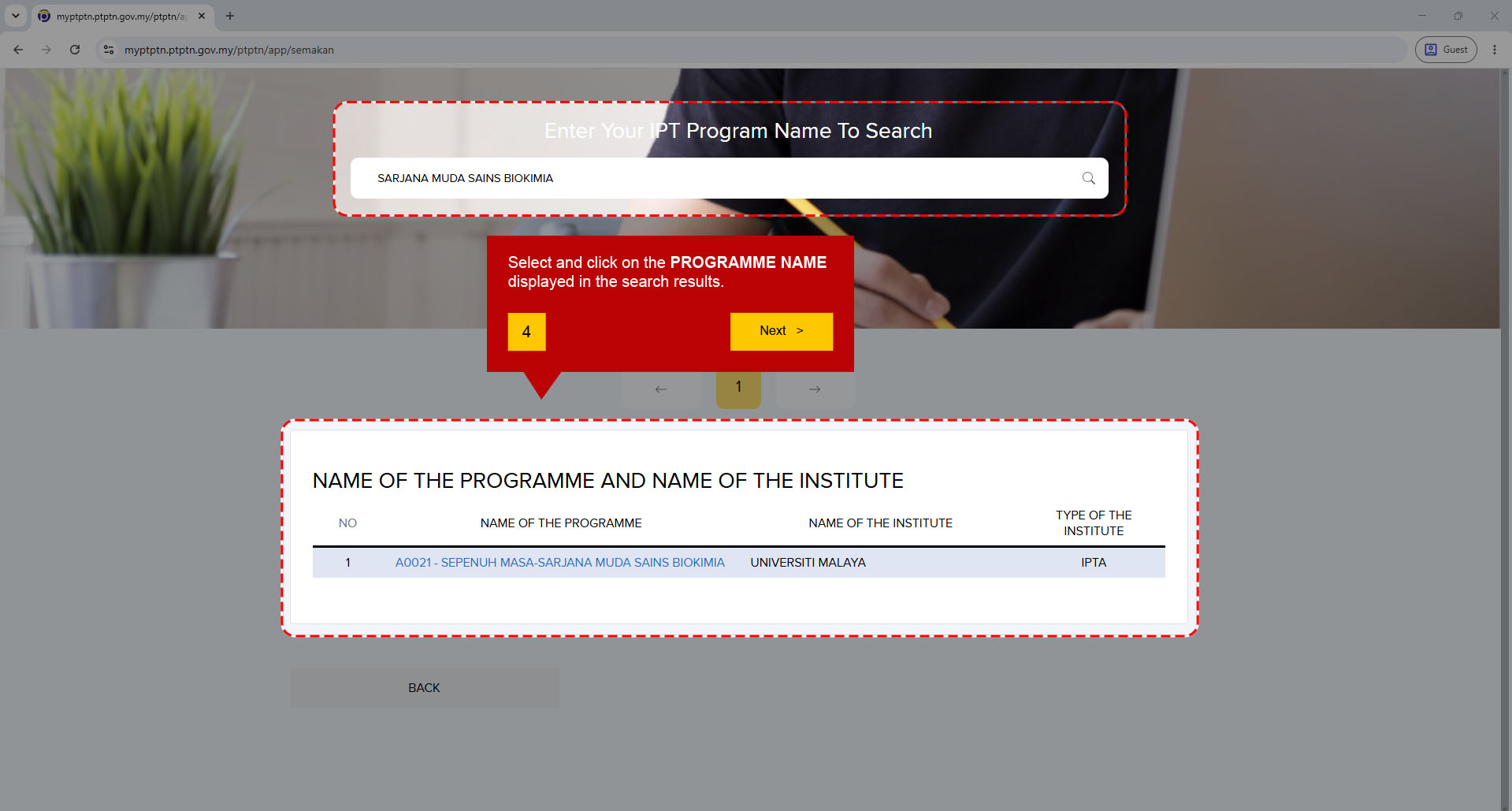
Select and click on the PROGRAMME NAME displayed in the search results.
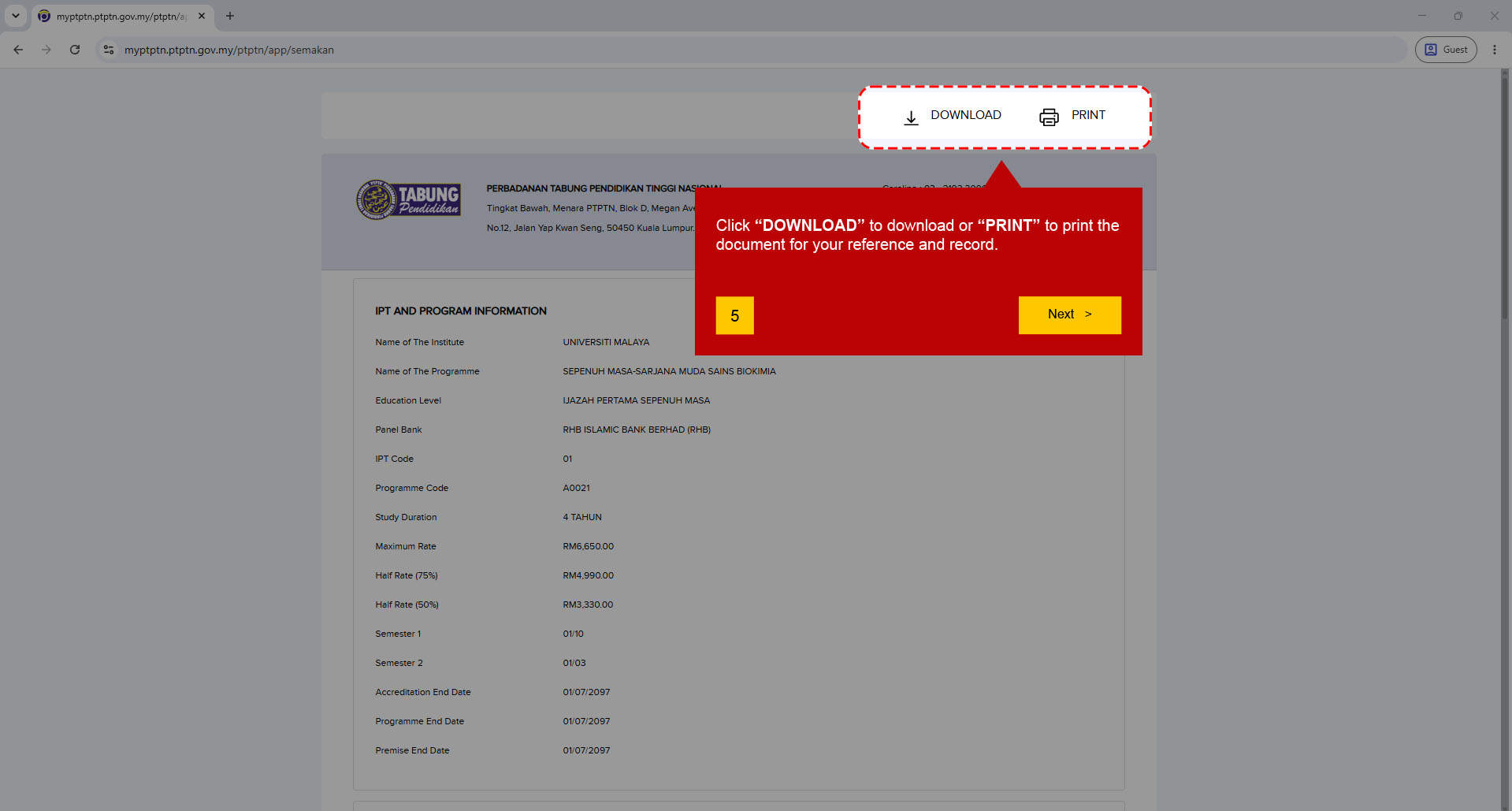
Click “DOWNLOAD” or “PRINT” to download or print the document for your reference and record.
The document also contains INSTITUTION AND PROGRAMME INFORMATION , including details of the institution and programme codes.
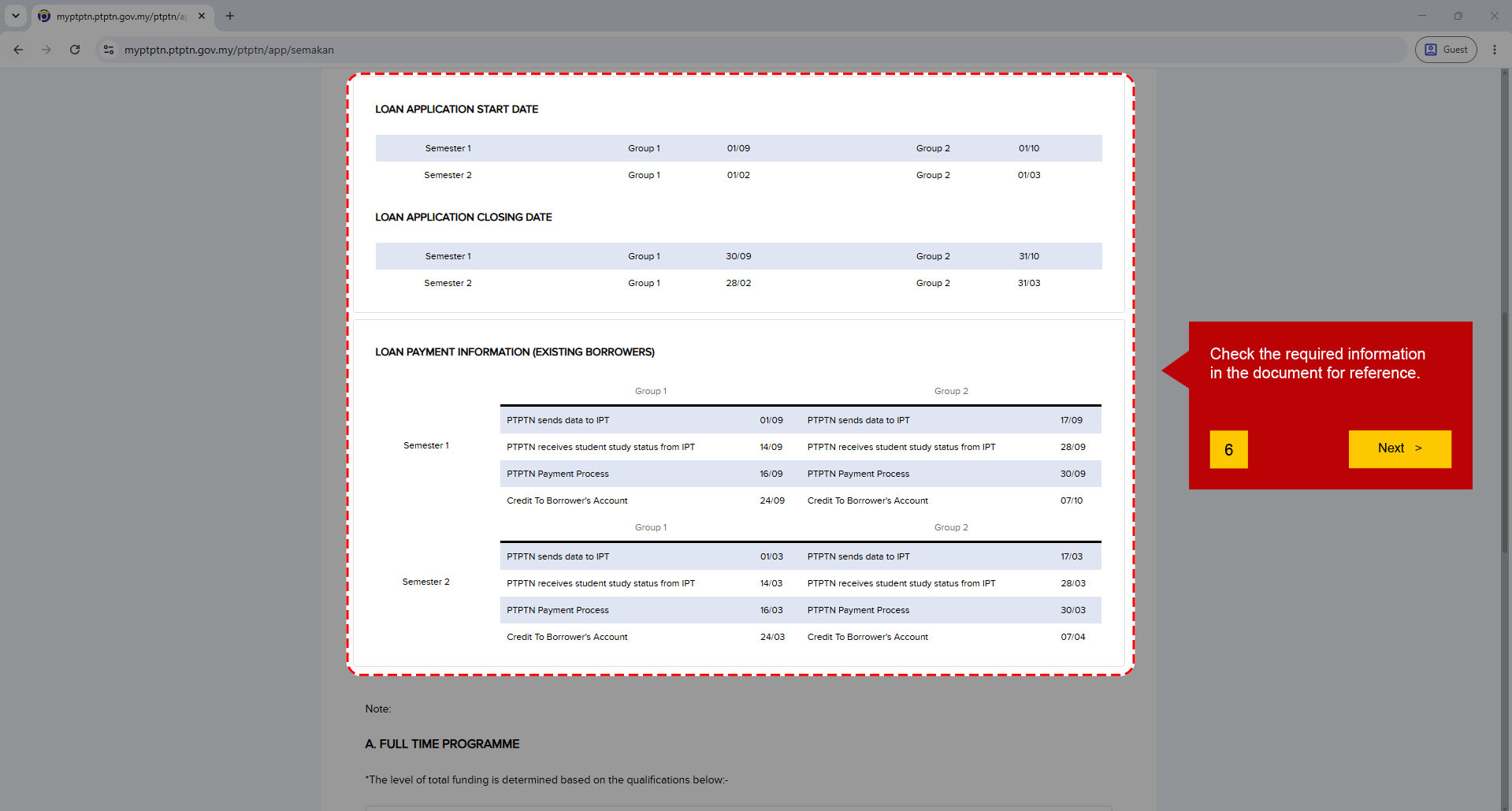
Please check the following information in the document for your reference:
If your programme code is not listed in the myPTPTN system, please email the Sponsorship and Scholarship Centre (SSC) at bptajaan_aasd@um.edu.my , attaching your offer letter for admission to the programme for further review.
Last Update: 14/10/2026